
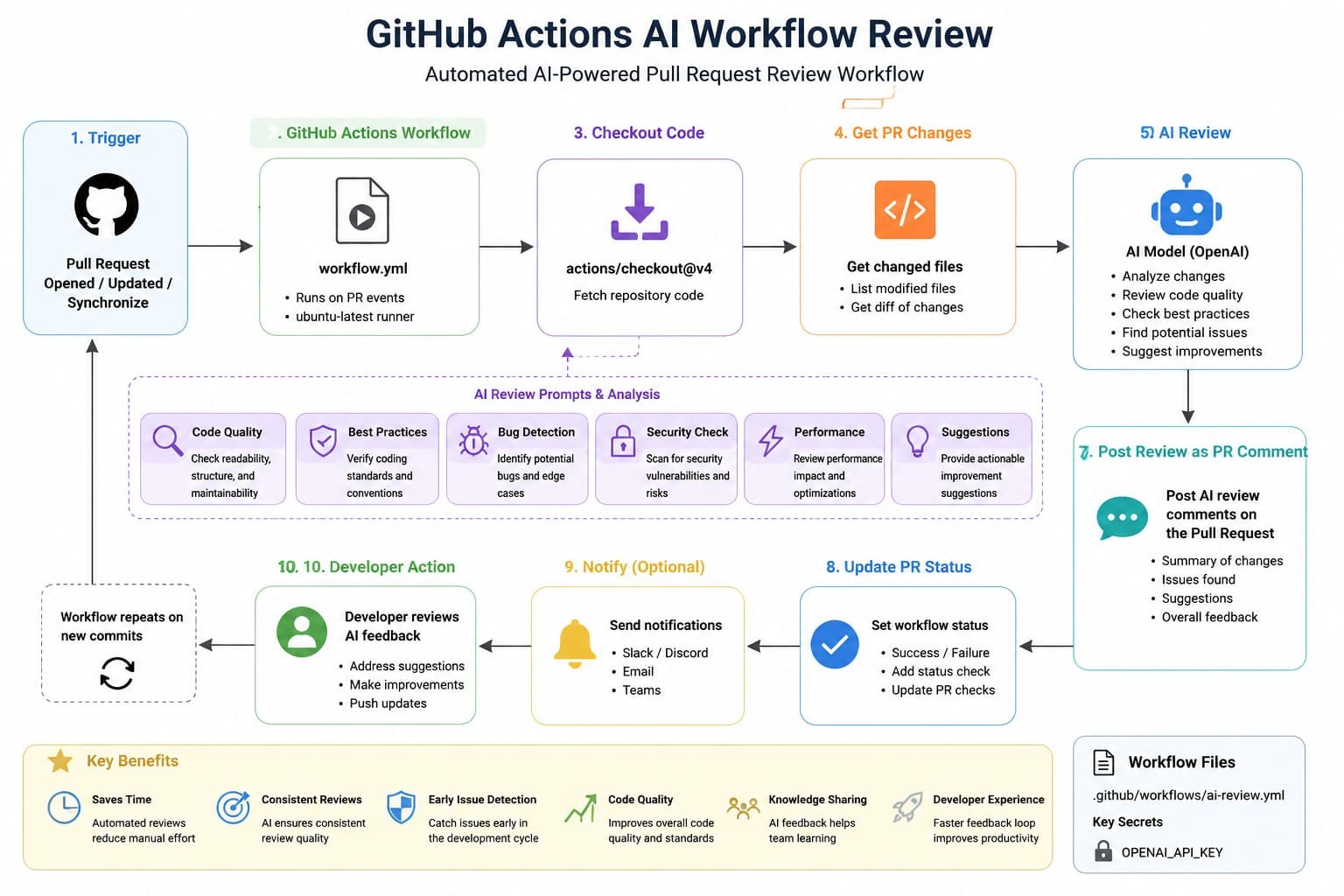
When a generated workflow grants contents: write, runs on pull_request_target, and checks out a fork’s head commit, one pull request can become a path to a write-capable repository token. The YAML may be only 20 lines long and pass every syntax check, but the reviewer has to spot the capability chain across those lines.
That is why reviewing AI-generated workflow files cannot follow the same checklist as reviewing an application function. A generic code review asks whether the logic works. A workflow review must ask what event supplies attacker-controlled data, what identity the runner receives, what code the runner executes, and what that identity can change.
The useful unit of review is not a line of YAML. It is a chain: trigger → token and secrets → checkout → execution → external side effect. Break any dangerous link before merge.
1. Review a workflow as a capability change
A pull request that adds .github/workflows/release.yml is closer to adding a cloud IAM policy than adding a test. It can create tokens, read repository content, upload artifacts, publish packages, create releases, modify pull requests, or deploy through environment-scoped credentials. AI assistants commonly optimize for a successful run, not for the smallest authority needed to make that run succeed.
Start every review by writing a one-sentence purpose statement. For example: “Run unit tests for pull requests without modifying the repository or accessing deployment credentials.” That statement gives you a concrete basis to reject unrelated capabilities such as contents: write, package publishing, or cloud secrets.
| Review question | Safe answer for a PR test workflow | Escalation signal |
|---|---|---|
| What starts it? | pull_request for selected branches |
pull_request_target, issue_comment, or unrestricted workflow_dispatch |
| What can its token do? | contents: read only |
write-all or omitted permissions |
| What code executes? | Repository code with no secrets available | Fork code while credentials or secrets exist |
| What leaves the runner? | Test logs and a limited artifact | Publishing, release creation, deployment, or arbitrary API calls |
This framing also prevents a common review mistake: approving a broad permission because the workflow “does not currently use it.” Permissions are not documentation of current intent. They are authority available to every subsequent command, dependency script, and action in that job.
2. Find the dangerous combination, not just the dangerous line
No single line below looks unusual in isolation. Together, they create a high-risk workflow:
name: AI-generated PR check

on:
  pull_request_target:
    types: [opened, synchronize]

permissions:
  contents: write

jobs:
  test:
    runs-on: ubuntu-latest
    steps:
      - uses: actions/checkout@v4
        with:
          ref: ${{ github.event.pull_request.head.sha }}

      - uses: acme/setup-tool@v2

      - run: |
          npm ci
          npm test
          echo "${{ github.event.pull_request.title }}" > result.txt

      - run: git push origin HEAD:generated-results
The event is pull_request_target, which runs in the base repository context. The checkout then switches the runner to the pull request head commit, which can be controlled by a contributor from a fork. Running npm ci and npm test executes project-controlled commands; with a write-capable token available, untrusted code can use that authority.
The direct interpolation is a separate defect. Pull request titles, branch names, issue bodies, labels, and commit messages are input fields, not trusted shell fragments. GitHub expressions are resolved before the shell runs. A title containing quotes, a newline, or shell syntax can change the command that the runner receives.
The action reference adds supply-chain risk. A mutable tag such as acme/setup-tool@v2 means the reviewed workflow is not necessarily the code that will execute later. The tag can move; the same YAML can run a different action revision next week.
A reviewer should be able to narrate the exploit chain in one sentence: “A fork author controls the checked-out code and PR title; this privileged event provides a write token; the job executes that code and interpolates that title into a shell.” If that sentence is possible, do not merge it as a test workflow.
3. Compare the generated version with a hardened revision
For ordinary pull-request testing, the hardened version removes authority rather than trying to sanitize every possible input:
name: PR tests

on:
  pull_request:
    branches: [main]

permissions:
  contents: read

jobs:
  test:
    runs-on: ubuntu-latest
    steps:
      - uses: actions/checkout@<full-40-character-commit-sha>
        with:
          persist-credentials: false

      - uses: actions/setup-node@<full-40-character-commit-sha>
        with:
          node-version: 22
          cache: npm

      - run: npm ci
      - run: npm test

      - name: Print PR title safely
        env:
          PR_TITLE: ${{ github.event.pull_request.title }}
        run: printf '%s\n' "$PR_TITLE"
The meaningful changes are structural:
pull_requestis used instead ofpull_request_target, so the PR test job does not need privileged base-repository context.permissionsis explicit and limited tocontents: read.- Each action is pinned to a full commit SHA rather than a mutable version tag.
persist-credentials: falseprevents the checkout action from leaving Git credentials configured for later commands.- The PR title is passed as an environment value and printed with quoted shell expansion rather than inserted directly into shell source.
The tradeoff is maintenance. Full SHA pinning makes dependency updates less readable than @v4, and a team needs a process to update pins deliberately. That cost is real, but it creates a reviewable change: a pull request can show exactly which action commit is replacing which prior commit. Use a code comment beside each pin to record the upstream release or version label if your team needs human-readable context.
4. Audit token scopes and secret paths before commands
Read permissions: before reading the shell steps. GitHub Actions permissions can be set at workflow level and narrowed at job level. Use the latter when only one job needs a capability, such as pull-requests: write to add a label after a trusted internal check.
Apply a simple decision rule: if a job cannot name the API operation it needs, it does not receive write permission. “It may need to push a file later” is not a reason to grant contents: write today. Split that future action into a separate workflow with its own trigger and review.
Then trace every secret reference:
- Look for
secrets.inenv, action inputs, shell commands, Docker build arguments, and deployment steps. - Search for commands that can expose values indirectly:
printenv, verbose HTTP clients, debugging flags, generated configuration files, and uploaded workspaces. - Check whether artifacts or caches could include credentials, dependency configuration, build output, or source files containing generated secrets.
- Reject passing secrets as command-line arguments when an action input, a protected file, or an environment variable is available. Process arguments are easier to expose in logs and diagnostic output.
Masking in logs is not a security boundary. It does not make it safe to give a secret to untrusted code, nor does it stop that code from sending the value to an external endpoint. The robust control is simpler: fork-controlled PR jobs should not receive deployment secrets at all.
5. Treat triggers, checkouts, and expressions as untrusted-input design
Several events deserve a deliberate reviewer pause. pull_request_target is useful for workflows that must operate in the base repository context, such as carefully designed labeling or commenting. It becomes dangerous when paired with checkout or execution of pull-request code. The safe pattern for a metadata-only pull_request_target workflow is: use event metadata, call a narrowly permitted GitHub API, and never check out the contributor’s revision.
issue_comment has a related trap. A slash command like /deploy is not authorization merely because it appears in a comment. Confirm that the workflow verifies the commenter’s permission, verifies the command applies to a pull request where appropriate, and does not execute an arbitrary comment body as shell or script input.
For every checkout, identify the revision explicitly:
- Base branch checkout: suitable for trusted automation that must inspect repository-owned code.
- Pull request head checkout: untrusted when the PR can come from a fork; run it without secrets and without write authority.
- Merge result checkout: useful for testing integration, but still contains contributor-controlled changes and needs the same untrusted treatment.
Do not confuse branch filters and path filters with authorization. Limiting a workflow to main or services/api/** reduces when it runs; it does not make an untrusted checkout trusted. Likewise, a generated workflow that invokes Docker Compose deserves a second look: a checked-out compose.yaml, Dockerfile, or build context can affect what the runner builds and runs.
6. Make this a merge gate your team can use this week
Put workflow review in the pull request template and require an explicit answer for every file under .github/workflows/. The reviewer should not have to infer whether a new workflow is intended to test, publish, deploy, label, or comment.
- Write the workflow’s purpose in one sentence and identify the event that starts it.
- List its required GitHub API permissions; set explicit
permissions:and remove every unneeded write scope. - Mark each checkout as base, PR head, or merge result. If it is untrusted, verify that no secrets or write-capable token are available.
- Replace third-party action tags with reviewed full commit SHAs, including first-party actions when your policy requires immutable references.
- Search for
${{ github.event.insiderun:blocks. Move values into environment variables or a dedicated script, then quote every shell expansion. - Run
actionlint .github/workflows/*.ymllocally or in CI to catch workflow syntax and common configuration errors. Use a security-focused workflow scanner as an additional check, not as a replacement for the capability review.
Finally, make privileged automation visibly separate. Keep pull-request tests in one low-permission workflow. Put publishing and deployment in another workflow triggered from protected branches or manually approved environments. The extra YAML is cheaper than asking every reviewer to prove that a single all-purpose workflow never crosses from untrusted code into production credentials.